Building a walking robot spider from one prompt with MCP for Blender
Muska designed a mechanical spider with image models, then gave Claude Opus 5.5 one long prompt and a concept sheet. Through MCP for Blender, Claude modelled, painted, rigged, animated and lit the robot in about an hour, and moved the viewport camera for the timelapse as it worked. It got there on the first attempt.
More experiments on Muska's channel
Watch the other builds on YouTube, and read the full prompt behind this one.
Generate models in Blender with Premium
For shapes that are hard to script, generate them instead: Hunyuan3D, Tripo and Hyper3D Rodin with one license key. Plans from $10 a month.
Muska has used 3D software since 1998, and now posts experiments with Claude and MCP for Blender on YouTube. Each video is a timelapse of Claude building something in Blender.
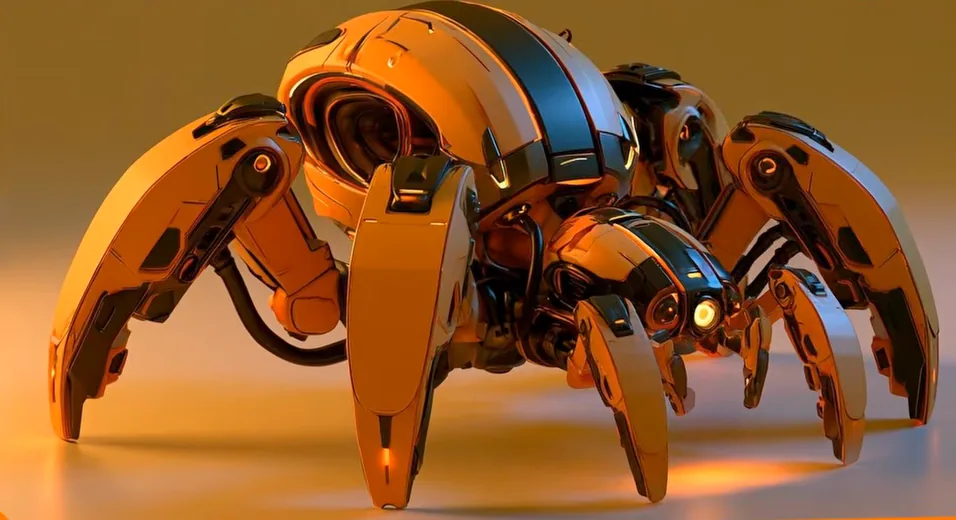
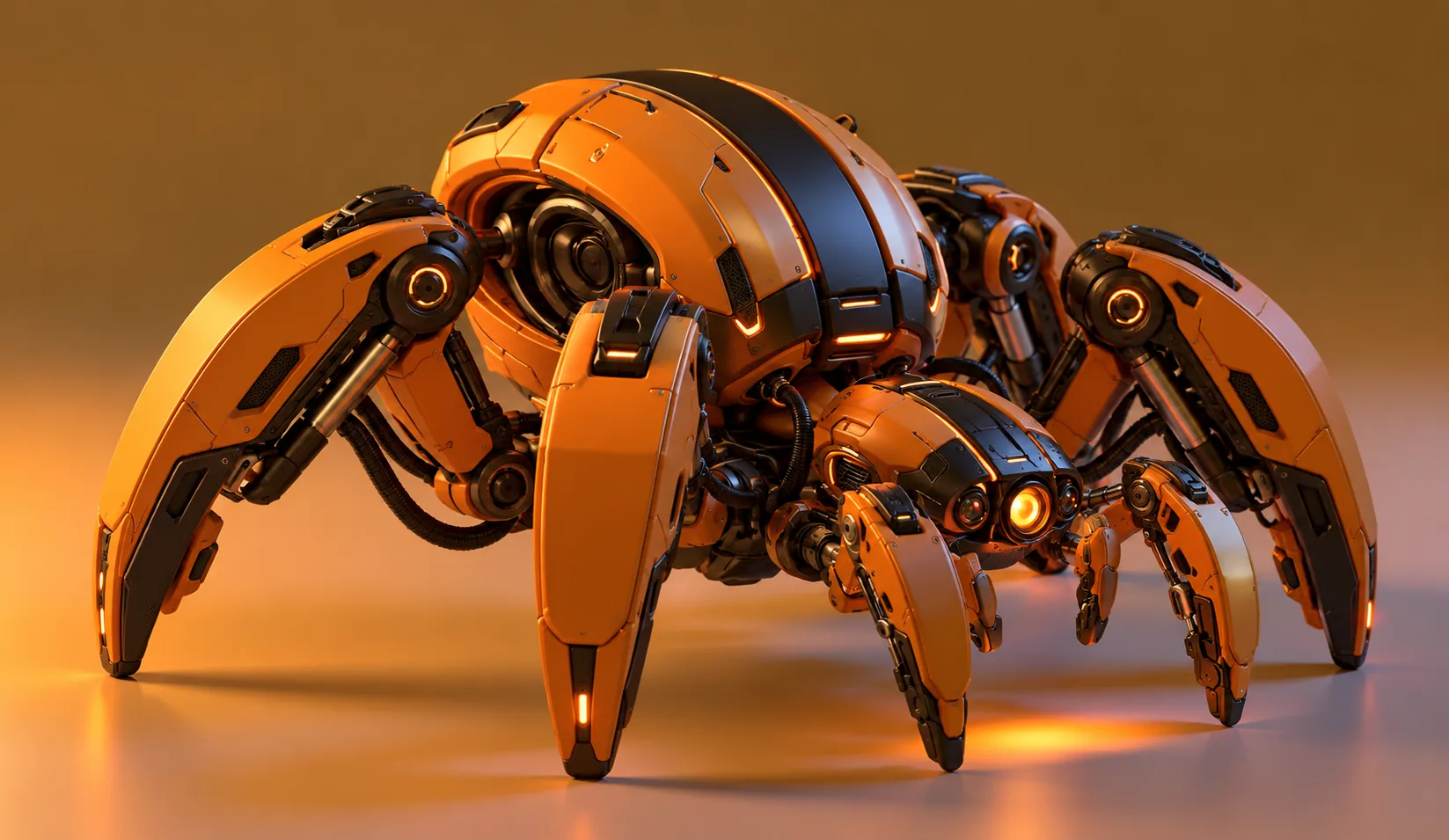
This one is a mechanical spider: four armoured walking legs, two smaller manipulators at the front and an orange sensor eye. It's a mech, not a real spider, which is why it has six legs. Claude Opus 5.5 got one prompt, a hero image and a concept sheet. It modelled, painted, rigged, animated and lit the robot, then set up a final shot of it walking out of frame.
Claude ran at medium effort on the Pro plan. The build took a little over an hour, about one full session of usage, and it was the first attempt.
- 1
- prompt, with a hero image and a concept sheet
- ~1 h
- of Claude working, one full Pro session
- 21
- build steps, from blocking to the final shot
- 1st
- attempt, with no corrections
Below is the process Muska uses, from the first ideas in Midjourney to the final render.
Eight steps, three before Blender opens
Muska splits the workflow into eight steps and made a short that walks through them.
| Step | Tools | What comes out |
|---|---|---|
| 1. Explore | Midjourney | Many ideas, one direction picked |
| 2. Refine | GPT Image 2.5, Nano Banana | A cleaner render with coherent details |
| 3. Concept sheet | GPT Image 2.5, Nano Banana, Affinity Photo | Every angle and the key details on one board |
| 4. Connect | MCP for Blender | Claude Opus 5.5 driving Blender |
| 5. Prompt | ChatGPT | Geometry, fidelity, progression, viewport, materials, lighting |
| 6. Build | Claude Opus 5.5 | Model, materials, rig, walk cycle, lighting |
| 7. Iterate | You and Claude | Feedback, even mid-build |
| 8. Render | Blender | The final shot |
Settle the design before Blender opens
Midjourney gives great ideas but confused designs, Muska says. So it only does the exploring: many directions, one picked.
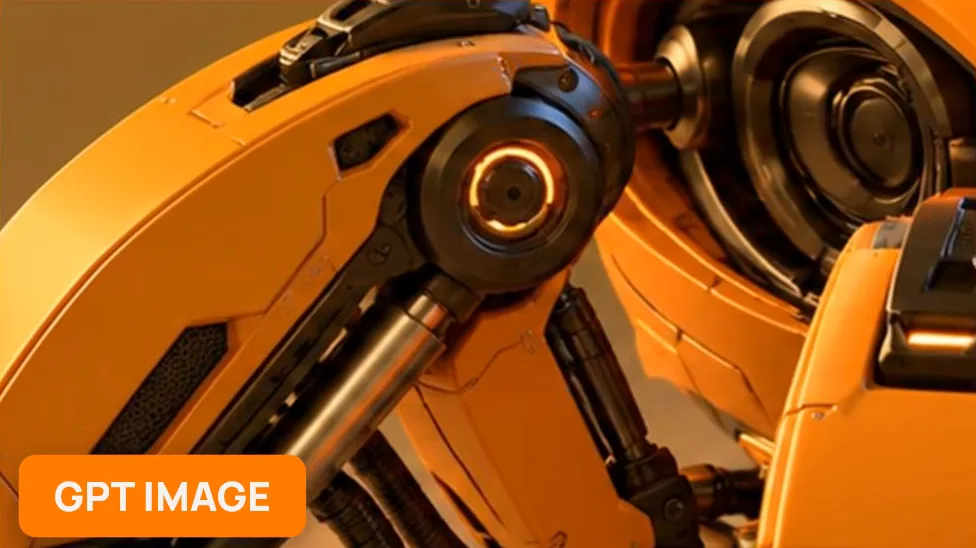
The pick goes to GPT Image or Nano Banana to clean up the render, so every detail is precise, coherent and looks like it would work. On the leg joint below, Midjourney's blur of shell and shadow comes back as a bearing with a lit ring and a piston under it.
 Explore · Midjourney
 Refine · GPT Image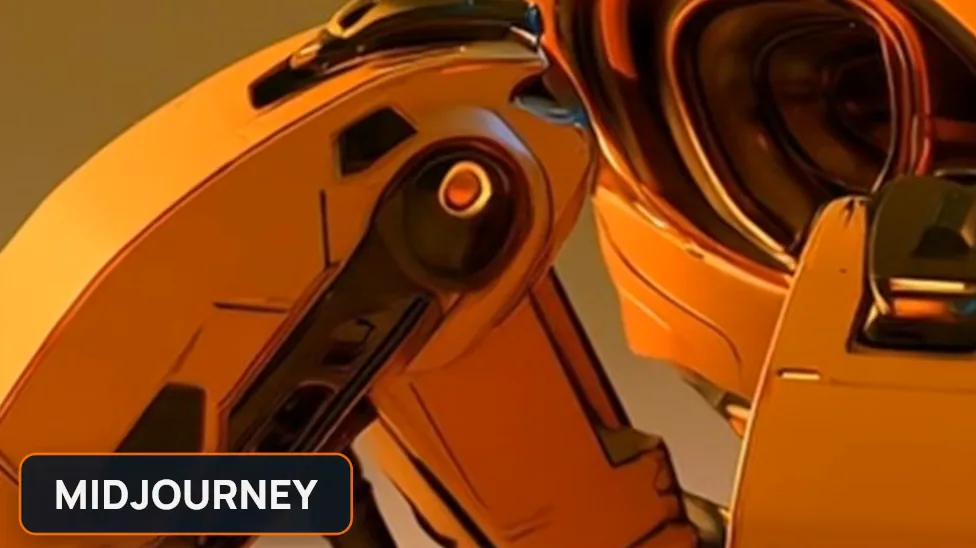
Then the image models make a presentation board with the robot from every side. Muska takes the best result for each view and detail and lays them out on one sheet in Affinity Photo. It's basic editing, but it gives Claude views that agree with each other, plus close-ups of the parts that matter most.
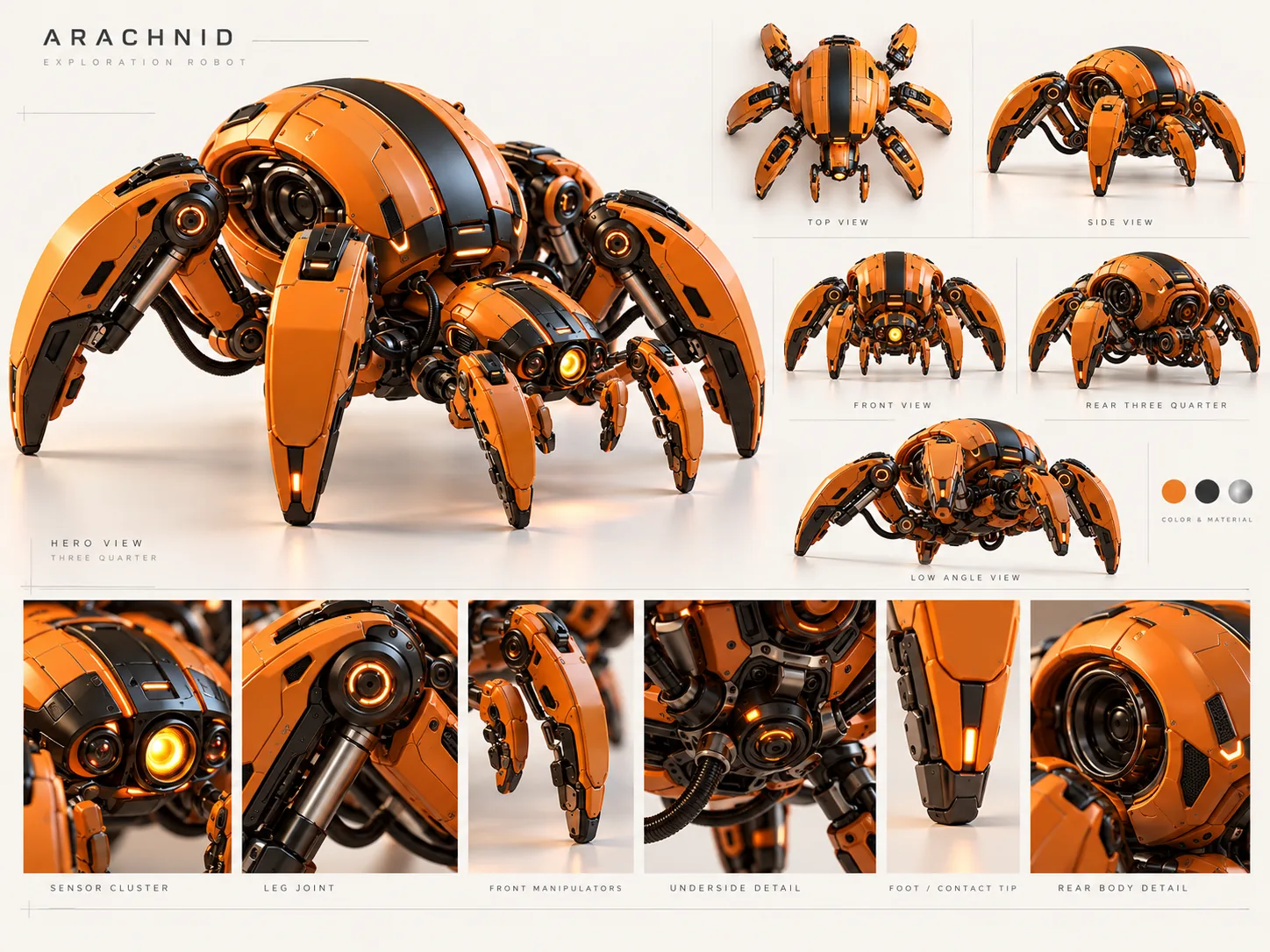
One prompt that says how it's built
Muska wrote the prompt with help from ChatGPT. The short sums up the idea: don't just describe it, describe how it's built.
It starts with fidelity. Claude has to recreate the reference as faithfully as possible, keep its proportions and silhouette, and not "redesign it into a generic spider robot". Then it sets two goals, and calls them equally important:
Create a highly detailed and polished Blender model and final animation. Make the viewport recording visually beautiful and satisfying for an OBS-recorded YouTube video.
The rest covers how to get there. A build order of 21 steps, from the main body blocking to the final animation. The stages every major part goes through: primitive, proportion refinement, hard-surface operations, bevels and booleans, placement, a close-up inspection and a beauty orbit. Materials by surface, from satin orange armour to brushed metal pistons and rubber feet. Lighting by light: key, fill, rim and overhead area lights in a clean studio, with no environment, props or outdoor HDRI. And a walk that should feel engineered and slightly heavy, like a robotic platform rather than a biological spider.
It runs to about 1,700 words. The full prompt is in Muska's doc.
Claude builds it in order, and labels each step
Claude followed the 21 steps in order. It also drew a build log into the corner of the viewport: the step, how far along the whole build is, and the operations in that step. The timelapse explains itself.
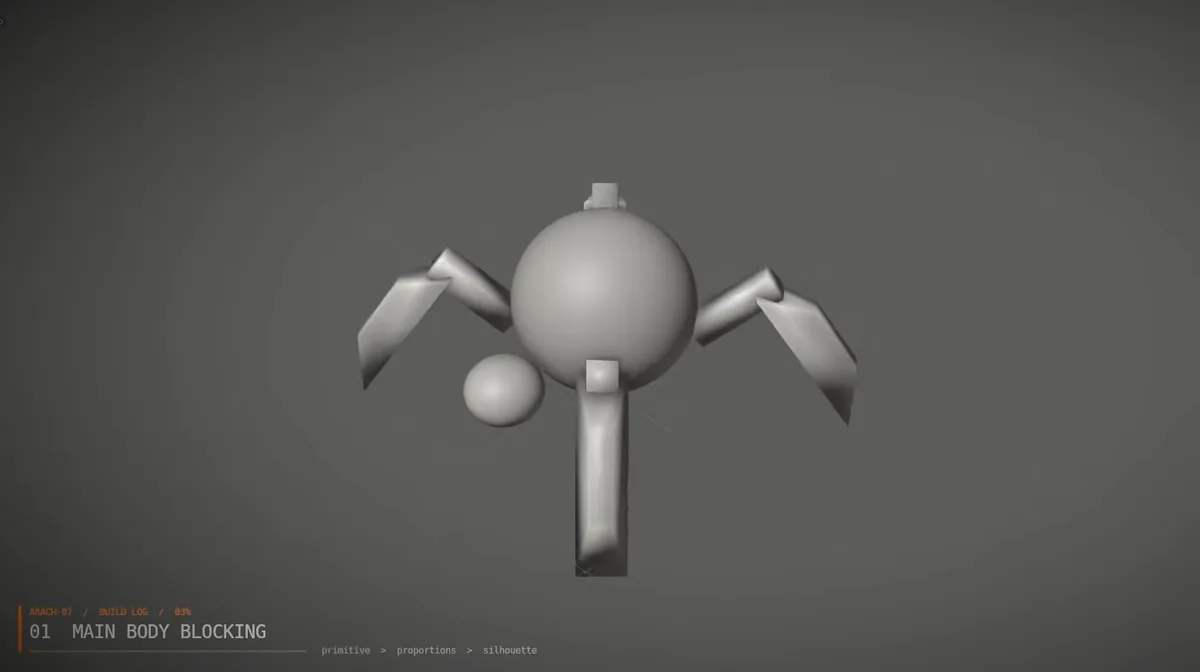 01 Main body blocking
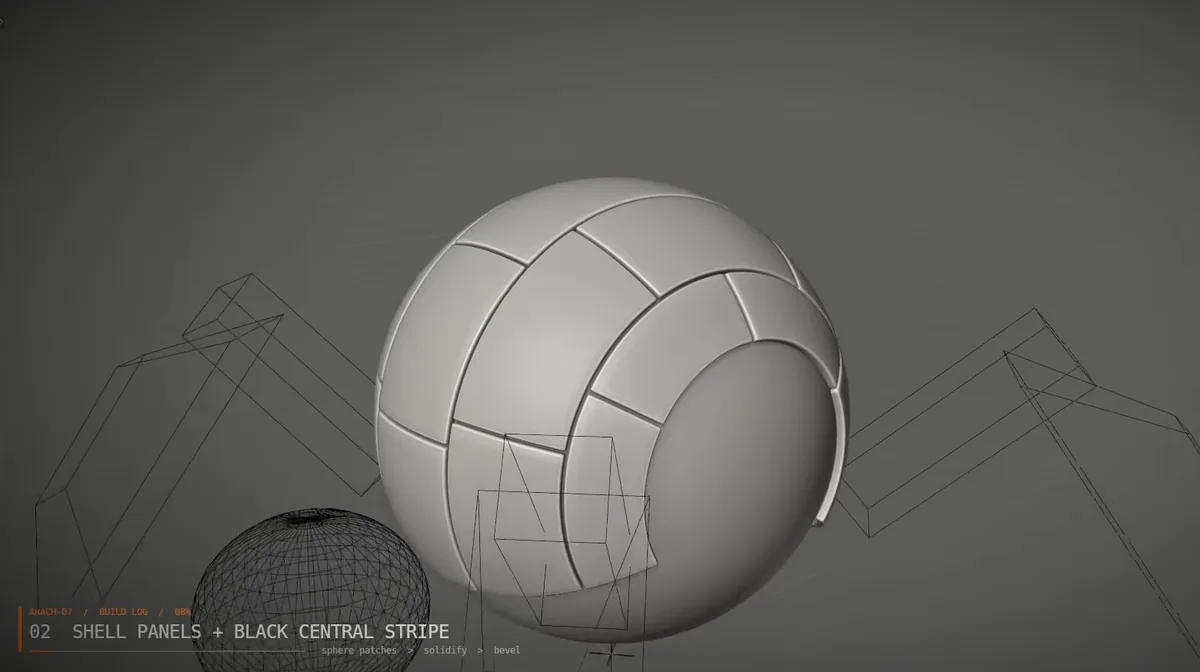 02 Shell panels and black stripe
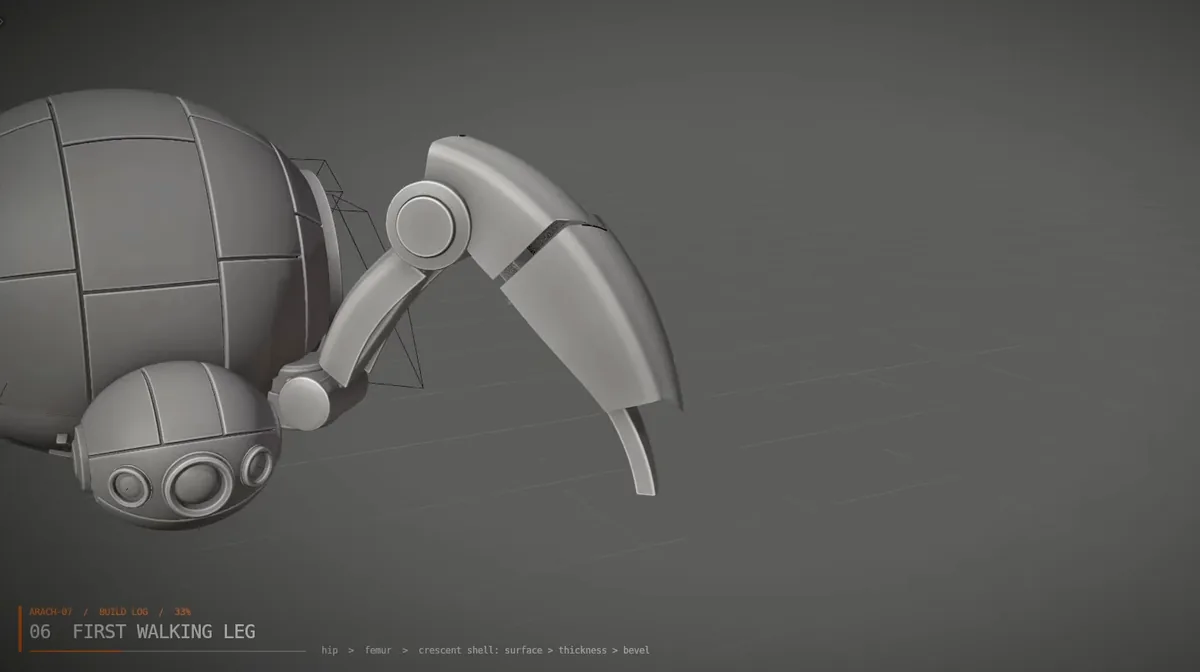 06 First walking leg
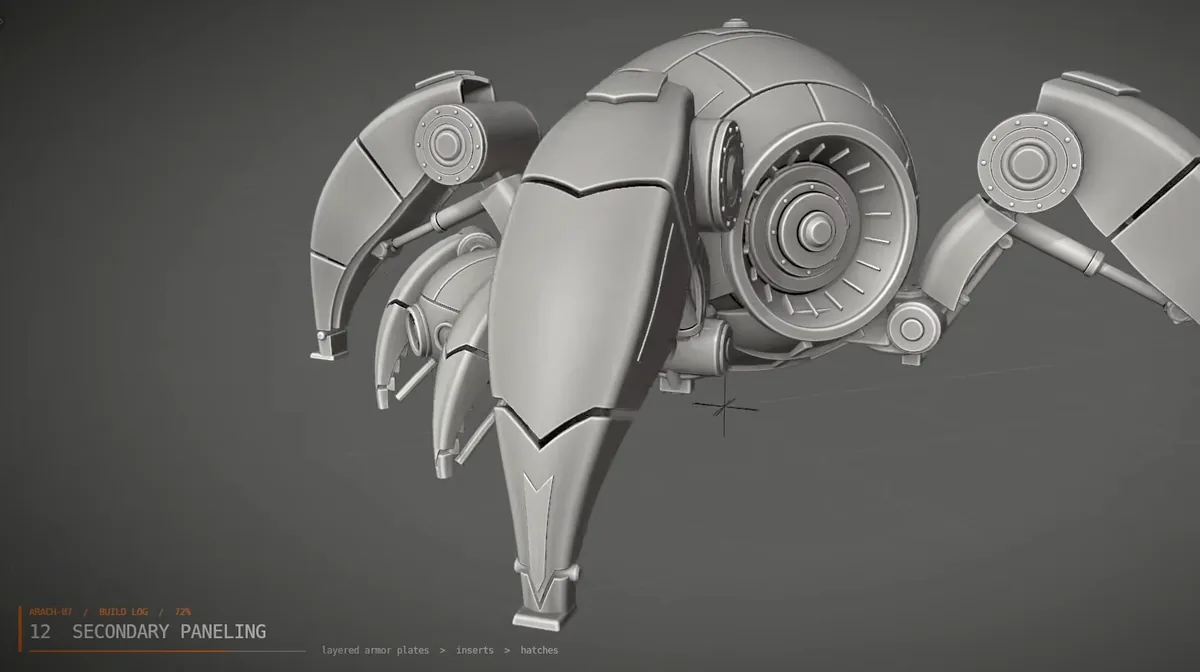 12 Secondary paneling
| Steps | What Claude built | From its build log |
|---|---|---|
| 01–05 | Body blocking, shell panels and the black stripe, side housings, the sensor head, the underbody | sphere patches > solidify > bevel |
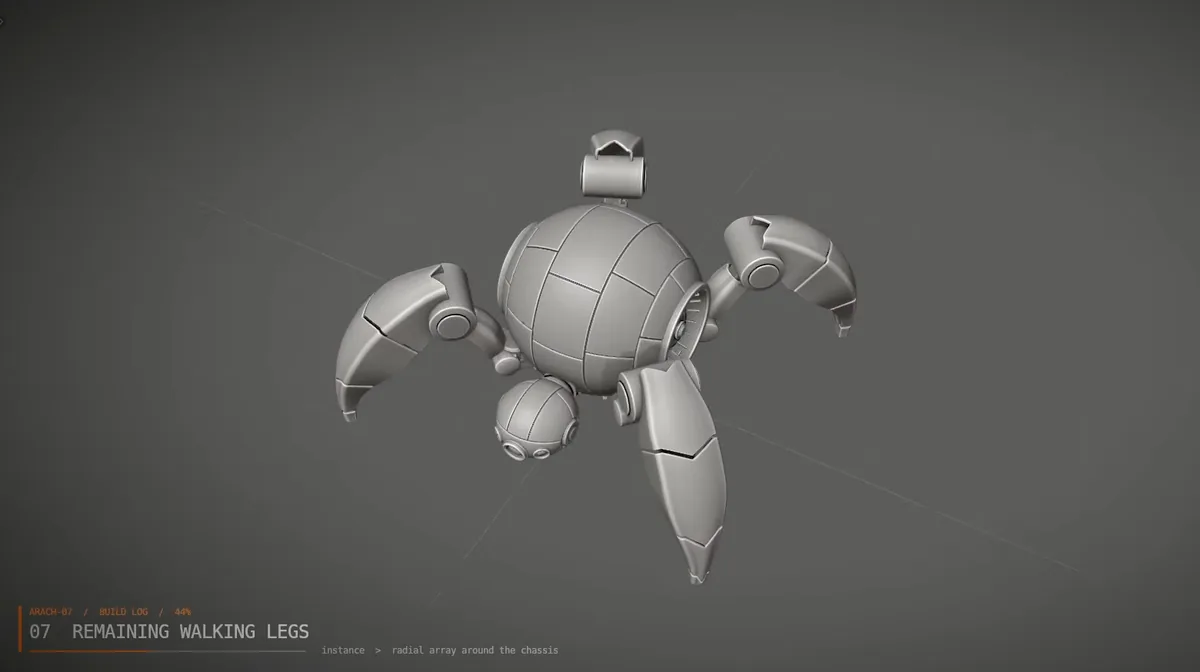
| 06–08 | One walking leg, then the other three, then the front manipulators | instance > radial array around the chassis |
| 09–11 | Joints, pistons and feet | barrel > rod > trunnion pins (tracked both ways) |
| 12–15 | Armour plates, vents, cables and fasteners | corrugated conduits > service loops |
| 16–17 | Materials in five passes, then the emissive lights | amber LED, diffused lens > power-up |
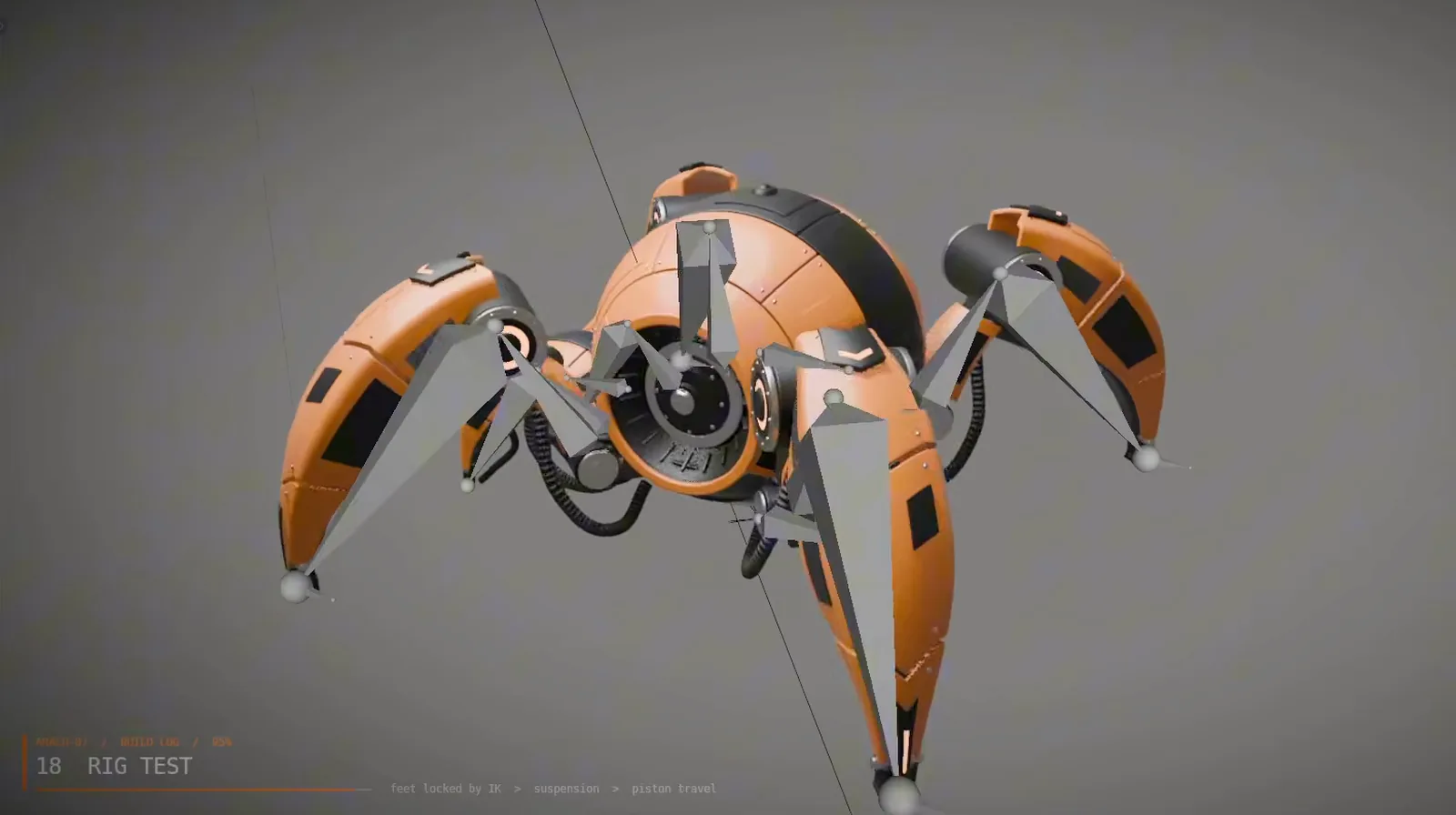
| 18–19 | Rig and walk cycle | armature > 3-DOF IK legs > FK manipulators |
| 20–21 | Studio lighting and the final shot | bloom on emissives > AgX > beauty pass |
The legs show the prompt's stages at work. Claude built and refined one walking leg first: hip, femur, then the crescent shell's surface, thickness and bevel. Only then did it instance the leg around the chassis. The pistons came with trunnion pins at both ends, so they could follow the legs once the rig moved them.
Materials, one pass at a time
The prompt asks for materials to arrive step by step, not all at once. Claude started from clay and added the dark mechanics (gunmetal, rubber, grilles), then the orange armour as a satin painted composite, the black stripe and inserts as matte anodised aluminium, brushed titanium and steel, coated-glass optics, and last the amber LEDs.
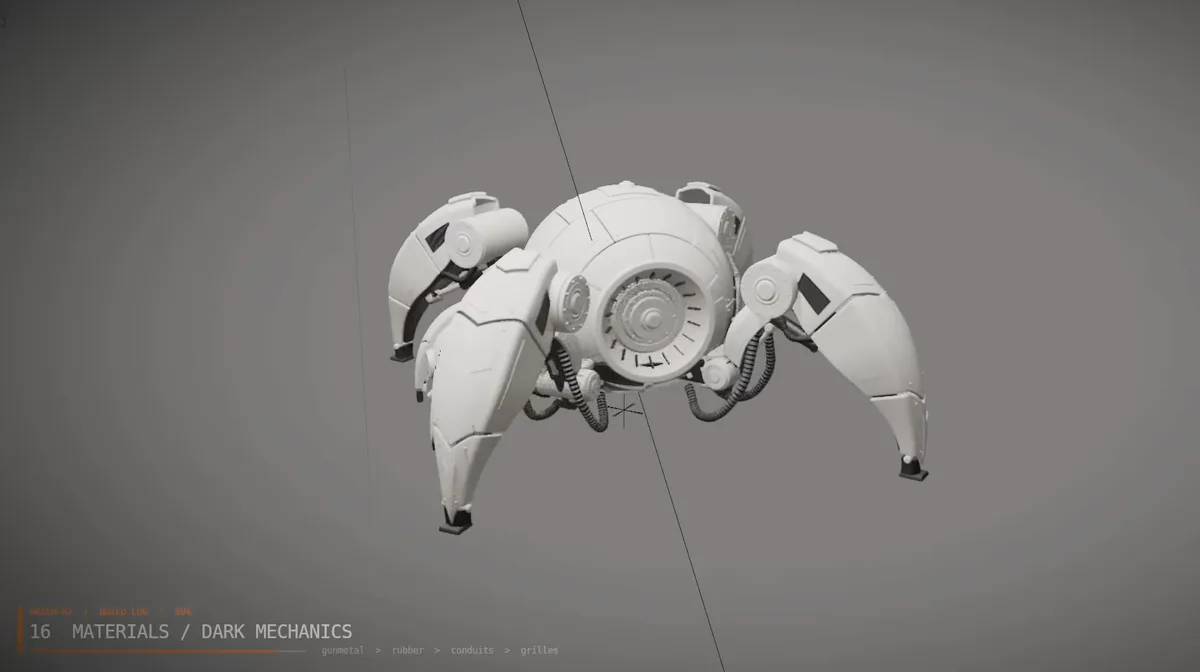 Dark mechanics
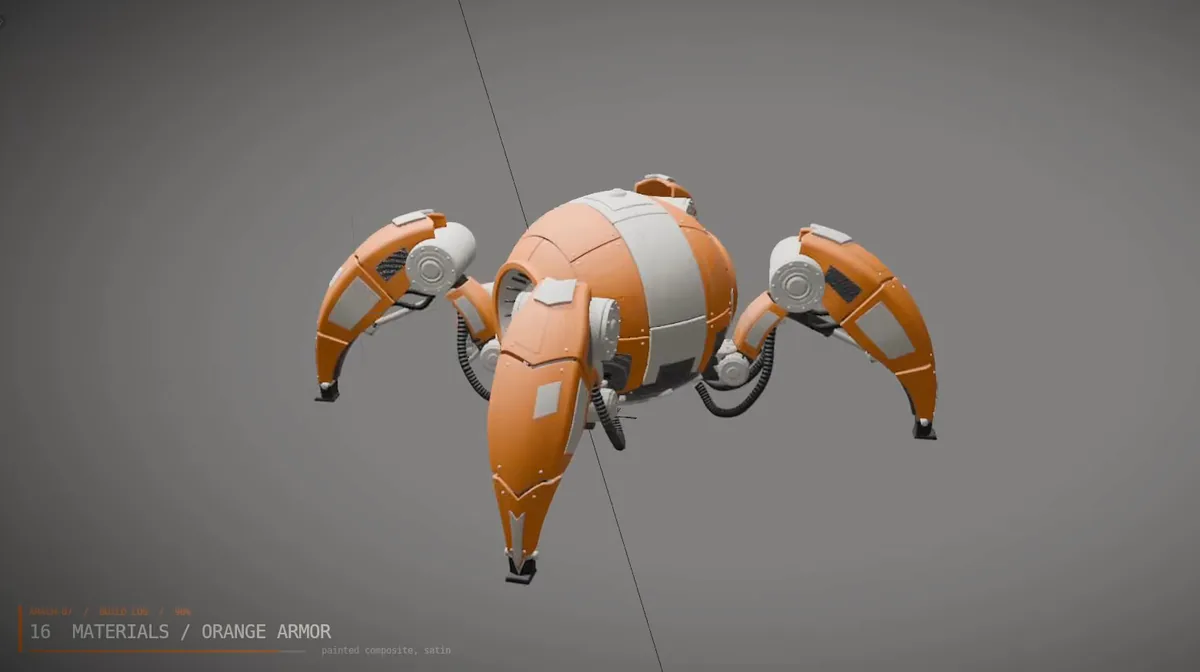 Orange armour
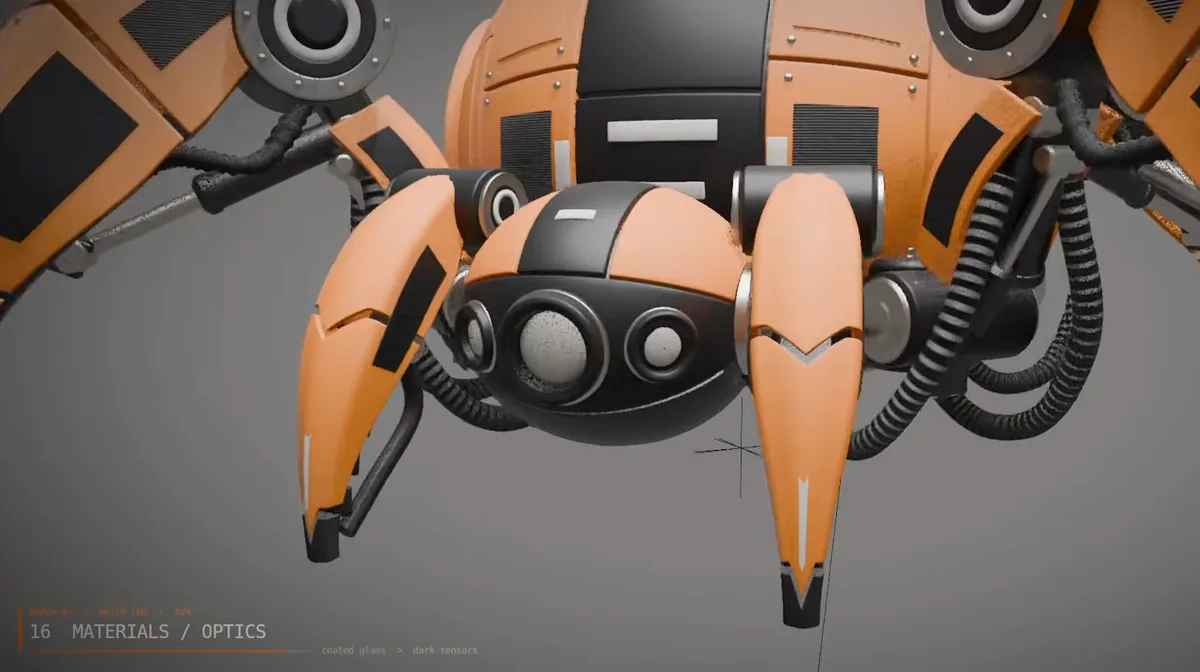 Optics
A rig that walks like a machine
The legs got three-degree-of-freedom IK and the manipulators got FK. Claude tested the rig with the feet locked by IK, checking the suspension and the piston travel, before animating anything.
The walk cycle starts with a power-up and a little anticipation, then a diagonal gait. The feet stay planted, the pistons travel and the hoses respond. That's what the prompt asked for, along with a list of things to avoid: foot sliding, clipping, impossible joint rotation and unstable weight shifts.
The viewport is the camera
Half the prompt is about the recording. It asks Claude to treat the viewport like a cinematic camera: orbit from front to side instead of snapping, push in toward a joint instead of cutting to it, and pull back to show the whole robot after each detail. It also asks for a rhythm of three scales so the video never sits still: macro for the whole robot, medium for a leg or the sensor head, micro for pistons, bolts and seams.
 Macro · the whole robot
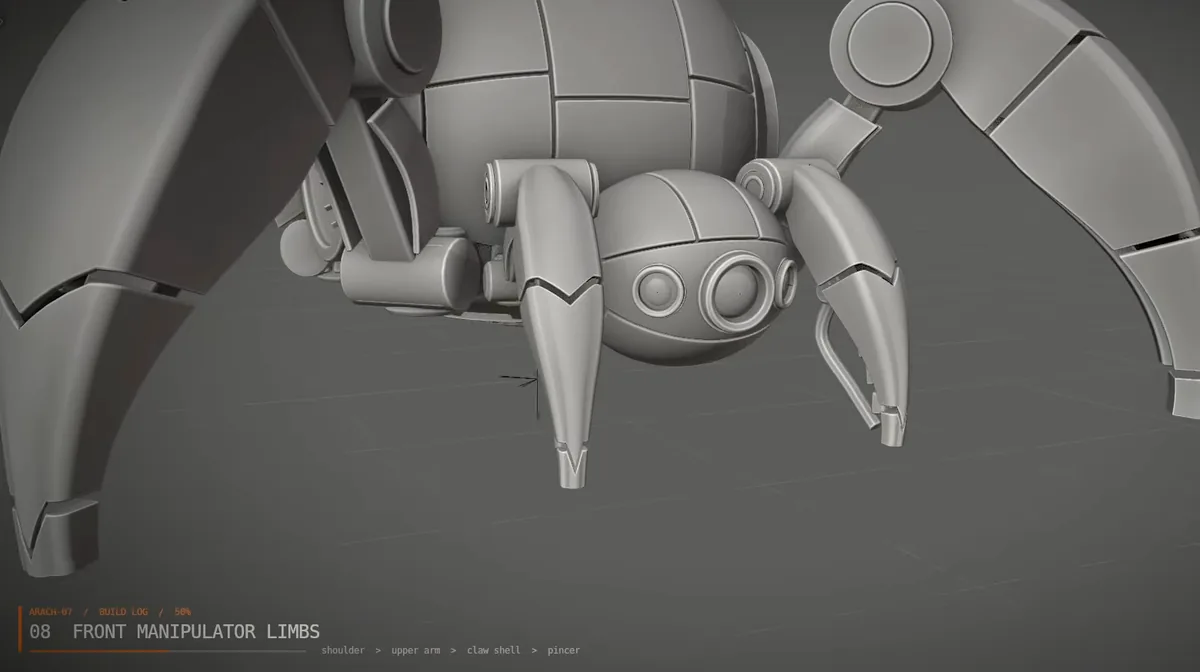 Medium · legs and head
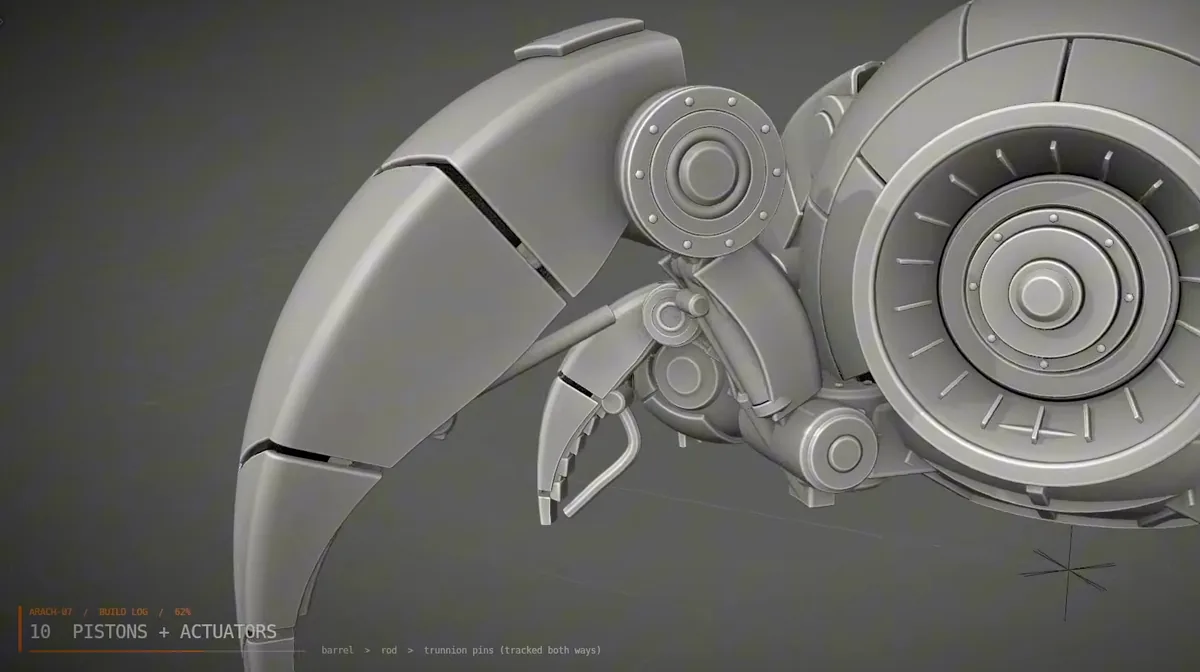 Micro · joints and pistons
Claude moved the viewport itself as it worked. Muska recorded the screen with OBS, then cut the stretches where Claude was working in the background, which can take a few minutes.
The final shot
The final render is calmer than the viewport. The prompt asks for about 10 seconds in a clean 3/4 studio composition: the robot walks with clear leg articulation, the camera tracks gently and slows down, and the robot leaves the frame. No fade, and no stopping in front of the camera. Then a brief hold on the empty studio.
Claude finished with bloom on the emissives, AgX colour management and a beauty pass.
Concept · GPT Image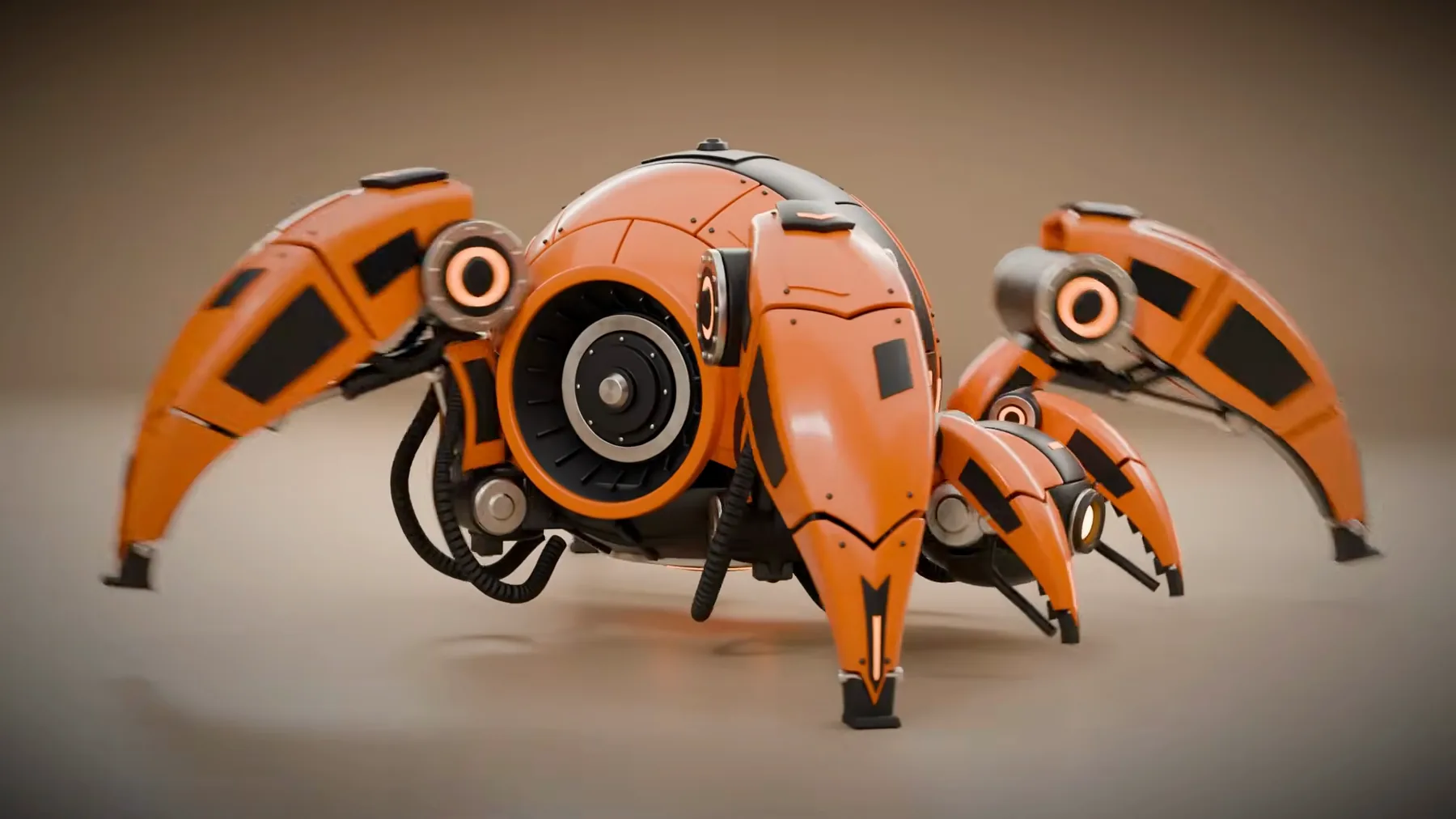 Built · Claude in Blender
When it isn't right first time
The spider needed no corrections, but Muska says that isn't always the case. Claude has a hard time with some shapes, and most of the other experiments, like a mech, needed adjustments along the way.
The loop for those is step seven in the short: Claude models, you review and give feedback, Claude refines. Muska's example note is "front leg joints are too simple", and feedback works mid-build, not only at the end.
Asked whether a building could be modelled the same way from a photo, Muska said yes, sort of. It depends on the building's complexity. Standard architecture works well, as long as the prompt is detailed.
What made it work
- Explore and refine in 2D firstMidjourney for ideas, then GPT Image or Nano Banana to make the details coherent. A confused design leaves Claude guessing.
- One concept sheet that agrees with itselfEvery view and the key details on one board, assembled from the best results.
- Describe how it's builtA build order, the stages each part goes through, materials by surface and lighting by light.
- Say what not to doDon't redesign the reference. No environment. Don't fade the robot out or stop it in front of the camera.
- Make the recording a goalFor a watchable timelapse, ask for orbits, push-ins and beauty pauses, and for each step to be shown, not just its result.
- Cut the waitsClaude sometimes works in the background for minutes at a time. Edit those parts out.